Frequently Asked Questions
Q1: How do I apply for an ACS account?
Please fill out the sign-up form here. After submitting, remember to verify your email address. Our team will review your application within a few days. Once approved, you will receive a notification email and can start learning immediately.
*Note: If you don’t see the verification email, please check your Spam/Junk folder.
*Note: If you don’t see the verification email, please check your Spam/Junk folder.
Q2: Why haven't I received the account approval email?
First, please check if you have verified your email.
If you haven't, please log in to the site and click "Re-send verification email," then click the link in that email.
Once verified, please allow a few days for our team to approve your application. Thank you for your patience.
Once verified, please allow a few days for our team to approve your application. Thank you for your patience.
Q3: What hardware do I need?
The ACS training site is web-based. You only need a PC, laptop, tablet, or smartphone with an internet connection. You can learn anytime, anywhere!
Q4: When does the 2026 ACS program start and end?
The 2026 program runs from February 1 to November 30.
Q5: What language are the courses in?
All courses feature English voiceover with dual subtitles in English and Traditional Chinese.
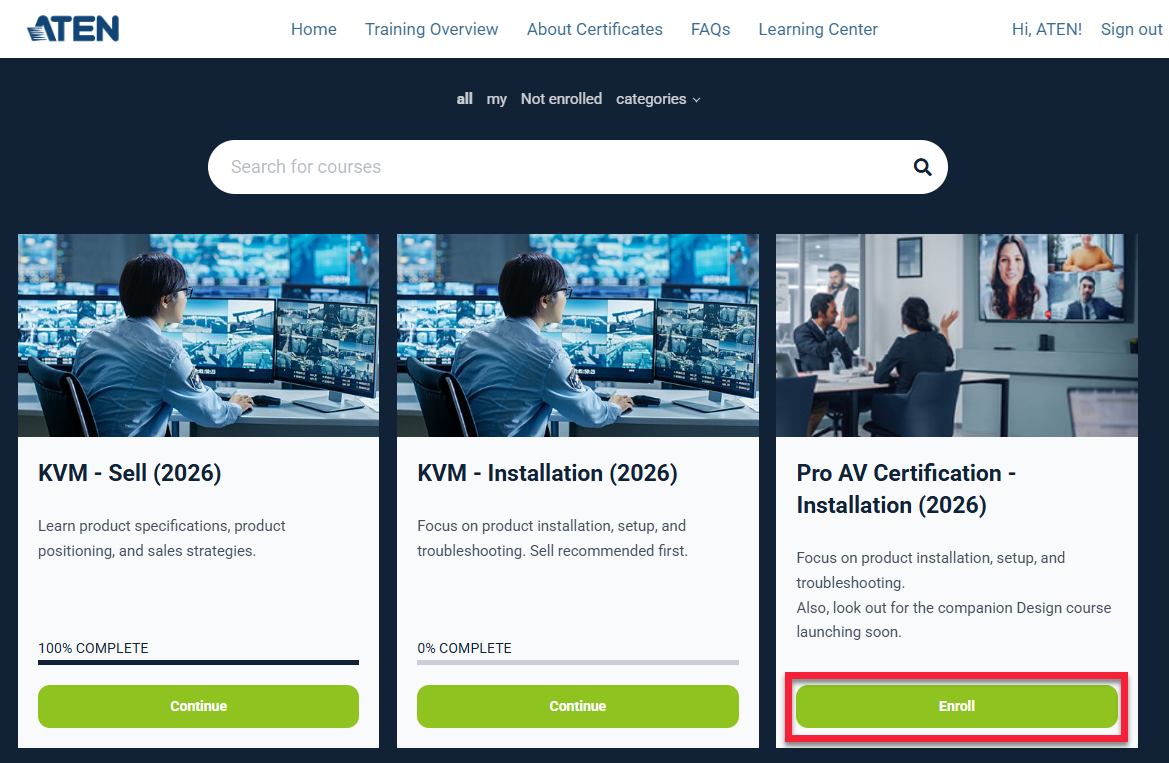
Q6: How do I enroll in courses?
After signing in, go to the Learning Center page. You can choose courses, then click Enroll to register.
*Important: To earn an ACS 2.0 certificate, you must enroll in and pass all available modules for that certification.
*Important: To earn an ACS 2.0 certificate, you must enroll in and pass all available modules for that certification.
Q7: Which courses should I take?
Each course corresponds to a specific product line. You can choose the courses that match the products you manage.
For ACS 2.0, the content is divided into three phases:
*Important: To earn an ACS 2.0 certificate, you must enroll in and pass all available modules for that certification.
- Sell: Essential knowledge. (For Sales, SI).
- Design: Advanced planning and application. (For SI. Recommended: Finish Sell first).
- Installation: Setup and troubleshooting. (For Customer Service and Technicians. Recommended: Finish Sell and Design first).
*Important: To earn an ACS 2.0 certificate, you must enroll in and pass all available modules for that certification.
Q8: Why do some certifications (like KVM or Pro AV) have fewer modules?
Not every product line requires all three modules (Sell, Design, Installation). We have streamlined the content to focus on the essential skills for each product.
For example:
Rest assured, completing these available modules qualifies you for the full certification.
For example:
- KVM: Focuses on Sell and Installation.
- Pro AV: Focuses on Design and Installation.
Rest assured, completing these available modules qualifies you for the full certification.
Q9: How do I pass a course?
Each course includes a few lessons and a final test. To pass, you must:
You can learn at your own pace, but please finish before the November 30 deadline.
- Complete all lessons.
- Score 80 or higher on the final test.
- Complete the feedback survey.
You can learn at your own pace, but please finish before the November 30 deadline.
Q10: Can I download the training materials?
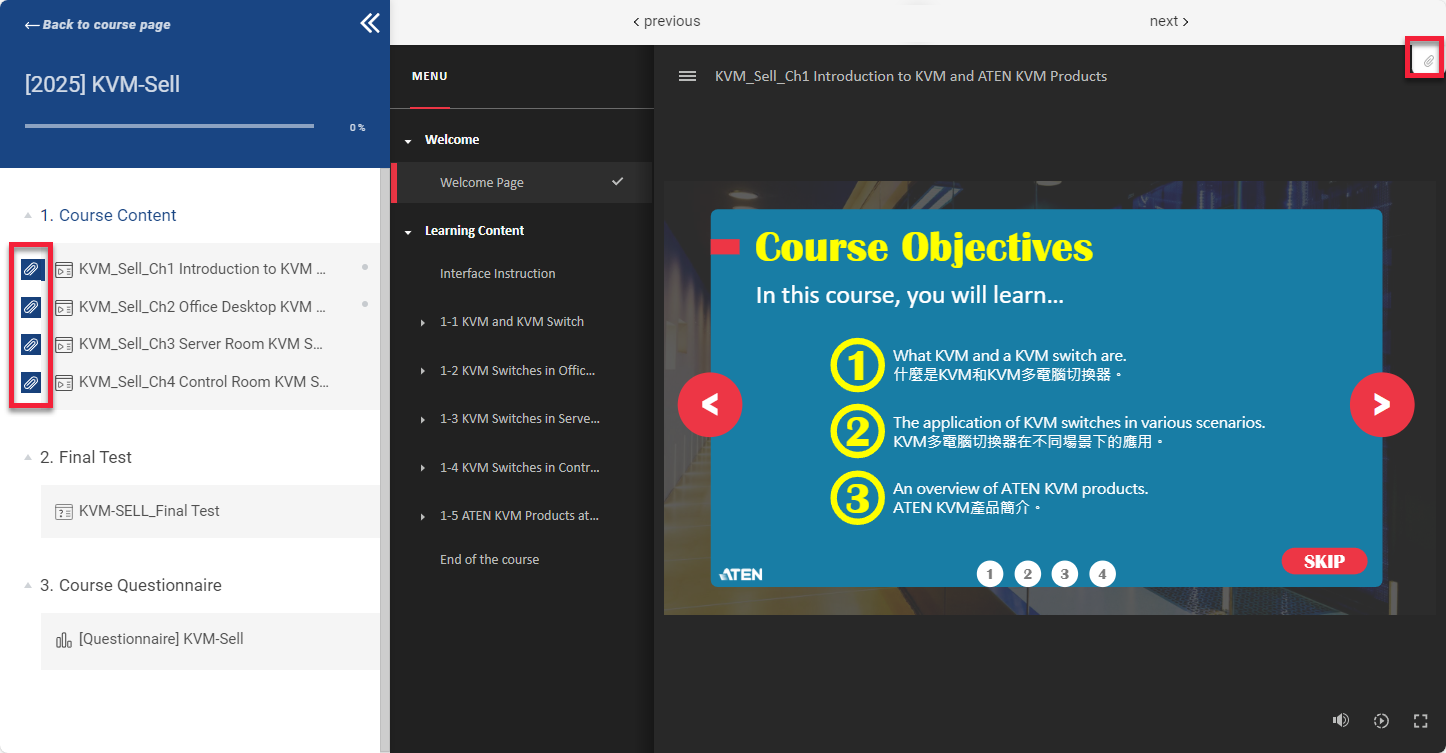
Yes, all materials are available as PDFs.
- Method 1: Click the attachment icon on the left side of the course list.
- Method 2: Click the attachment icon in the upper-right corner of the video player while watching.
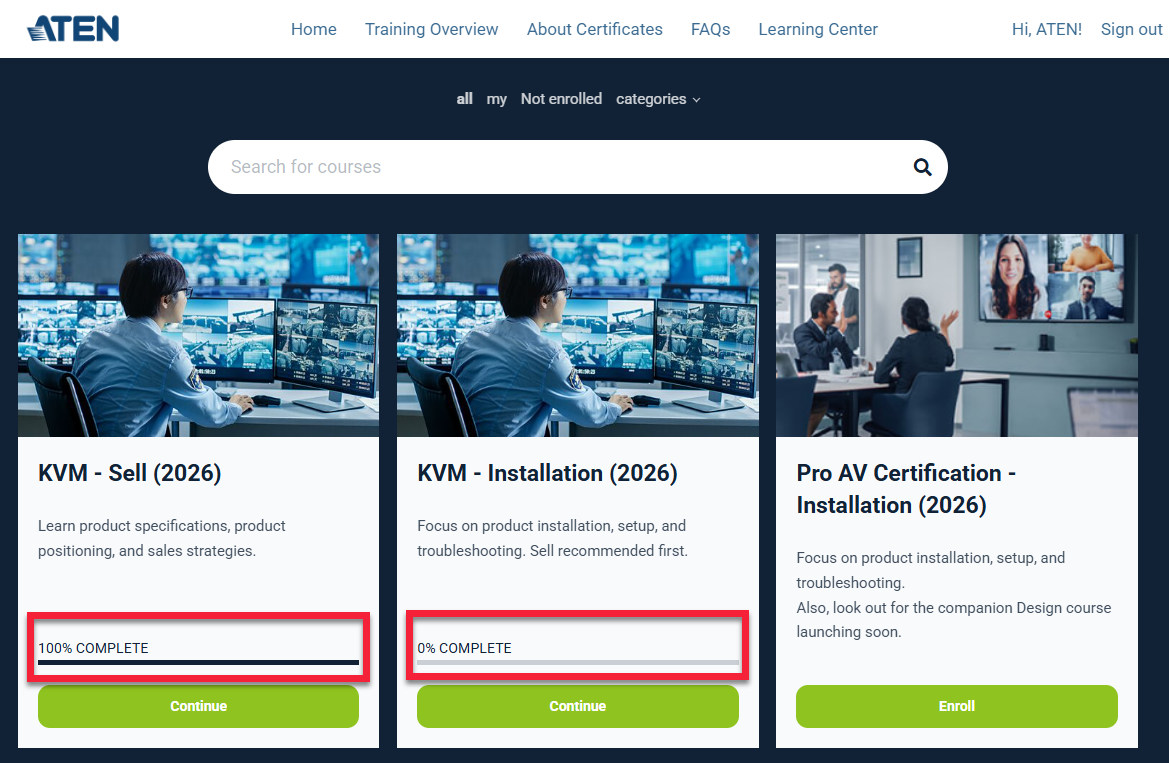
Q11: How do I check if I have completed a course?
Simply sign in and go to the Learning Center page to check your course status.
Q12: When will I receive my certificate?
In 2026, we issue certificates every two months. You will receive your certificate via email within two weeks after each batch cutoff date:
Example: If you pass the KVM Sell module on Feb 15 and the KVM Installation module on June 10, your certification is considered complete on June 10. This falls in Batch 3, so you will receive your certificate within two weeks after July 31.
- Batch 1: March 30
- Batch 2: May 30
- Batch 3: July 31
- Batch 4: September 30
- Batch 5: November 30
Example: If you pass the KVM Sell module on Feb 15 and the KVM Installation module on June 10, your certification is considered complete on June 10. This falls in Batch 3, so you will receive your certificate within two weeks after July 31.
Q13: What happens if I don’t finish by November 30?
The 2026 program closes on November 30. If you do not complete the courses by then, you will need to sign up for a new account next year.
*Warning: All learning data is reset at the end of the year. Your progress will NOT carry over to 2027.
*Warning: All learning data is reset at the end of the year. Your progress will NOT carry over to 2027.
Q14: Why can I only see assigned courses and not other courses?
Some regions have their own training plans. Please contact your ATEN regional representative.

Copyright © 2026
ATEN INTERNATIONAL Co., Ltd. all rights reserved.
ATEN INTERNATIONAL Co., Ltd. all rights reserved.